

How-to : Bulk import site role links
On this page
1. Quick Overview
Purpose: The OPUS bulk site role links Importer enables administrators to efficiently import multiple site role links into OPUS, streamlining the setup process and ensuring data accuracy.
2. Step-by-Step Instructions
- Download the Excel import template by clicking on the link: OPUSBulkSiteRoleLinksImporterTemplate.xlsx.
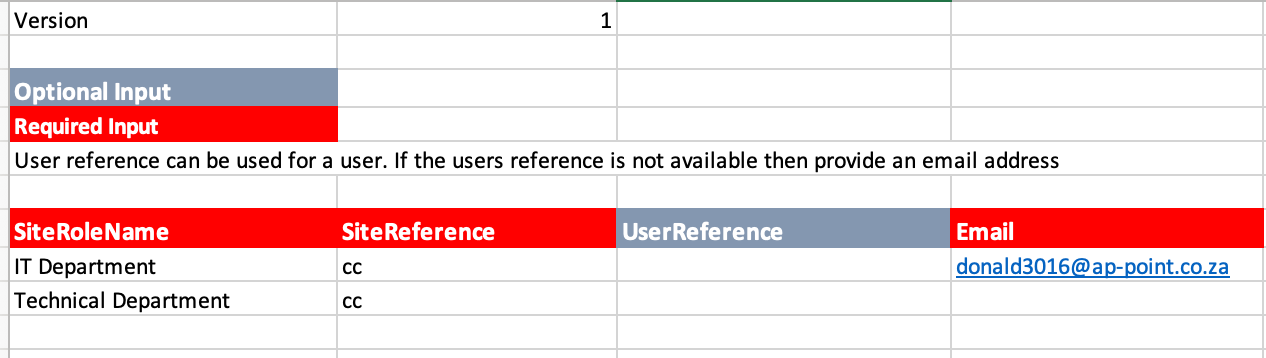
- Fill in the required information in the Excel spreadsheet, including Site Role Name, Site Reference, User Reference and Email. Ensure all compulsory fields are completed.
- Columns with a Red Banner are considered Mandatory and must be captured
- Check the validation indicators in column A to ensure data accuracy.
- Green indicates correct entries, while
- Red indicates incomplete or invalid entries.
- Once the spreadsheet is filled out, log in to OPUS as an administrator, click on the Administrators menu
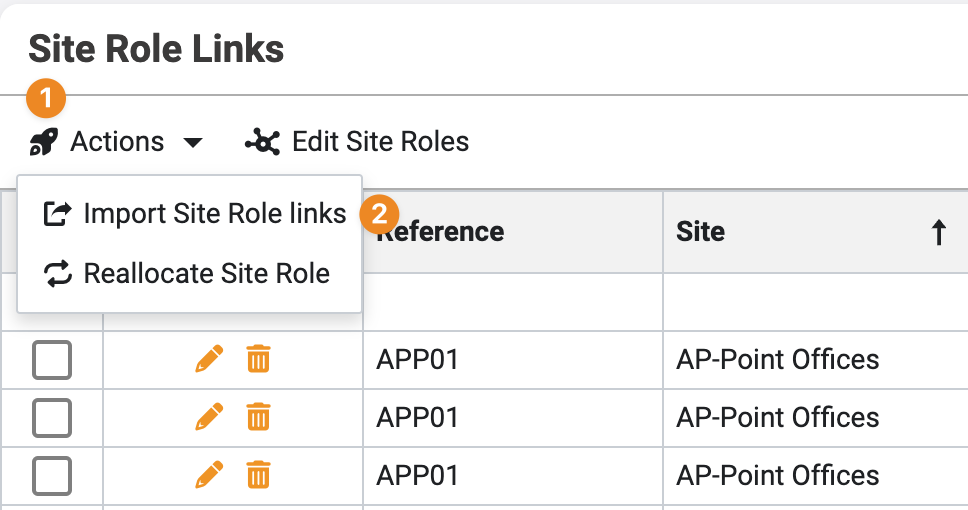
 and navigate to the "Site Role Links" section on the left menu panel
- Click on the " Import Site Role Links" button located in the “Actions” menu.
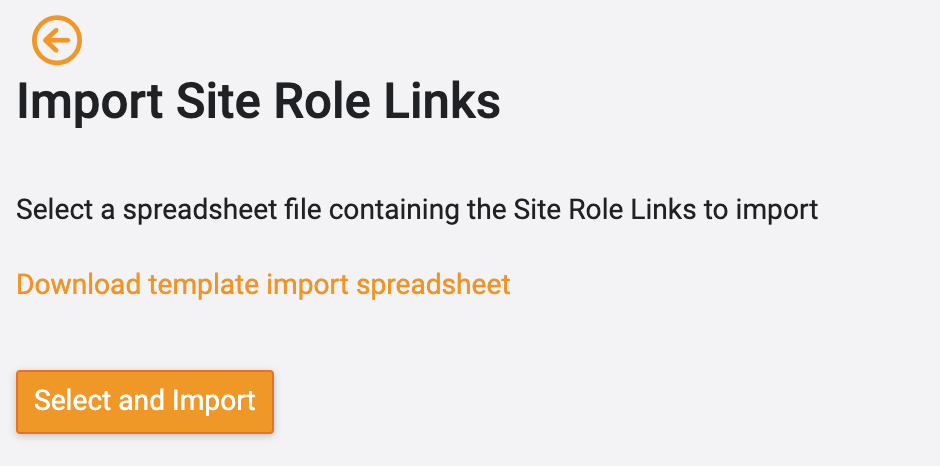
- Select the “Select and Import" button and open the Import sheet captured and select the bulk import file to import the site role links into OPUS
3. Tips and Tricks
Best Practices: Double-check the data in the spreadsheet before importing to ensure accuracy.
Additional Resources
- Refer to the OPUS documentation or contact the support team.