

ODMS : Operators
On this page
1. Quick Overview
Purpose: The Operators page in ODMS allows users to view and manage the list of operators and their activities. It provides various tools to filter, search, and generate reports on operator activities, ensuring efficient monitoring and management of operator performance.
2. Step-by-Step Instructions
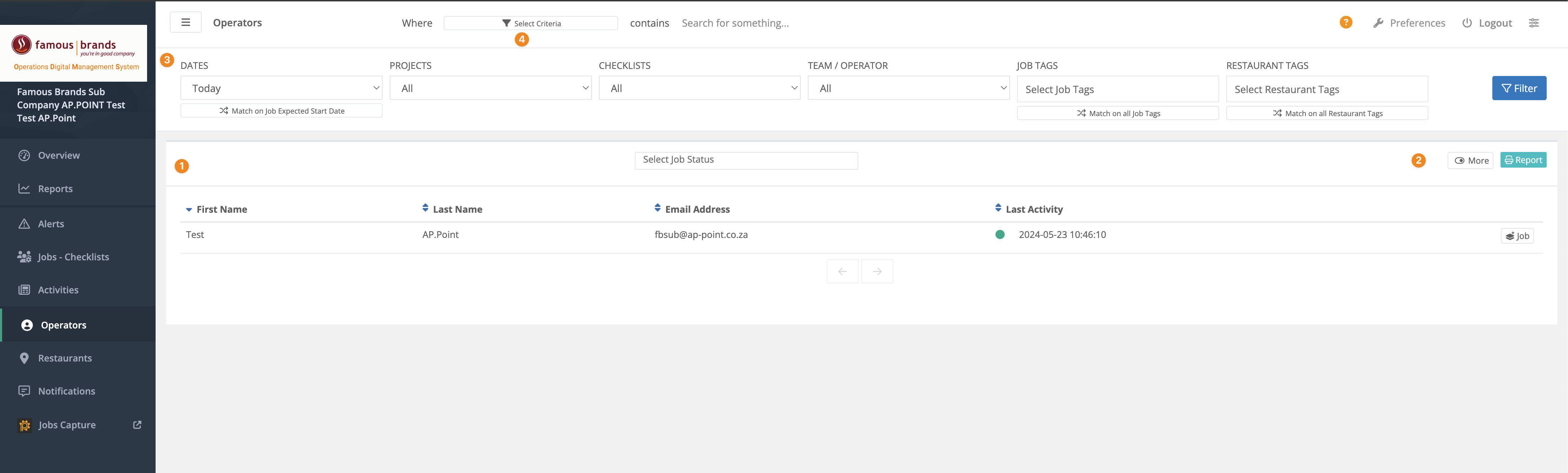
1. Operator grid
List of Operators and Activities Performed
This section displays a comprehensive list of operators along with their details and recent activities. Key details include the operator’s first name, last name, email address and last activity timestamp.
Usage: View this list to monitor operator activities and performance. The list helps in identifying active and inactive operators and their recent contributions.
2. More and Report
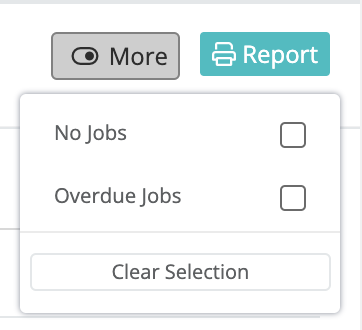
The ‘More’ button provides additional options and settings related to operator management.
Usage: Click this button to access advanced features or settings for managing operators.
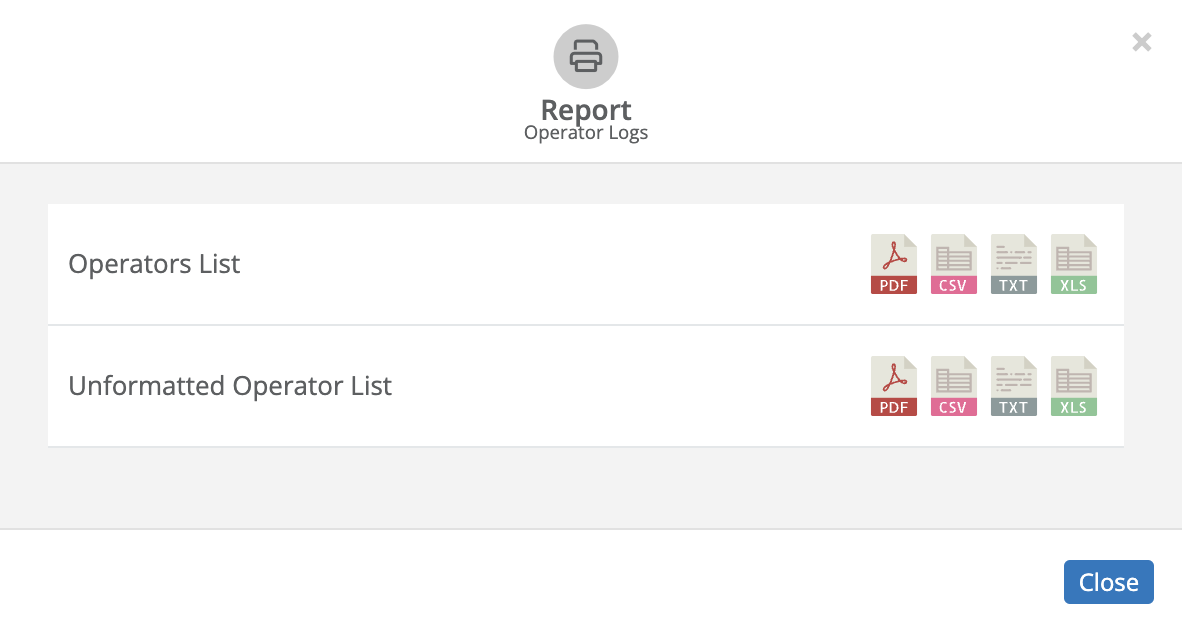
The ‘Report’ button allows users to generate and export reports based on the job data. Reports can be exported in various formats such as PDF, TXT (text), CSV (Comma Seperated) & XLS (Excel Spreadsheet).
3. Filter bar

The Filter bar allows users to apply various filters to narrow down the job list. Users can filter by date, project, checklist, team/operator, job tags and restaurant tags. Applying filters helps in focusing on specific jobs of interest.
Usage: Apply the relevant filters to refine the operator list and focus on specific data points. This is useful for detailed analysis and monitoring.
4. Search bar
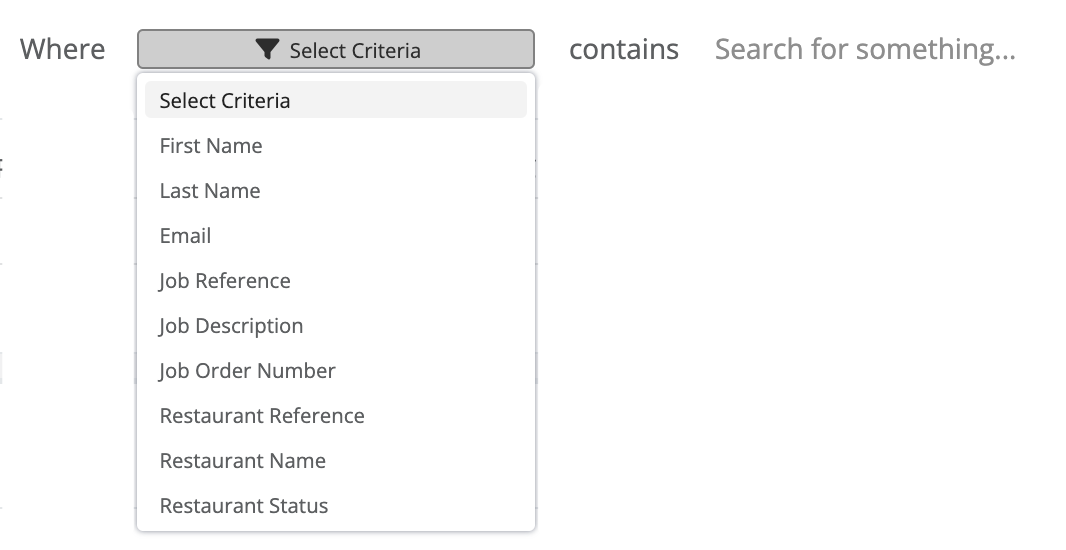
The search bar allows users to search for specific operators or activities using keywords or specific search terms.
Usage: Enter a keyword or search term to quickly locate specific operators or activities in the list. This helps in efficiently finding relevant information without scrolling through the entire list.
3. Tips and Tricks
Best Practices: Regularly use the filter and search functions to quickly find and monitor operator activities. Generate periodic reports to keep track of operator performance and identify areas for improvement.
Shortcuts: Use the search bar for quick access to specific operator details and the filter bar to narrow down results for detailed analysis.
Additional Resources
- Refer to the ODMS support documentation for more detailed instructions and additional features related to operator management.