

OPUS Release Notes - March 2025
On this page
We're pleased to share the latest version of OPUS released in the first week of March 2025. This update contains a lot of improvements, so let's start it right away with the major changes:
Major Features
- We’ve added a new feature to workflows that enables users to select the user when the workflow is triggered on an alert question. This provides immediate context for the user.
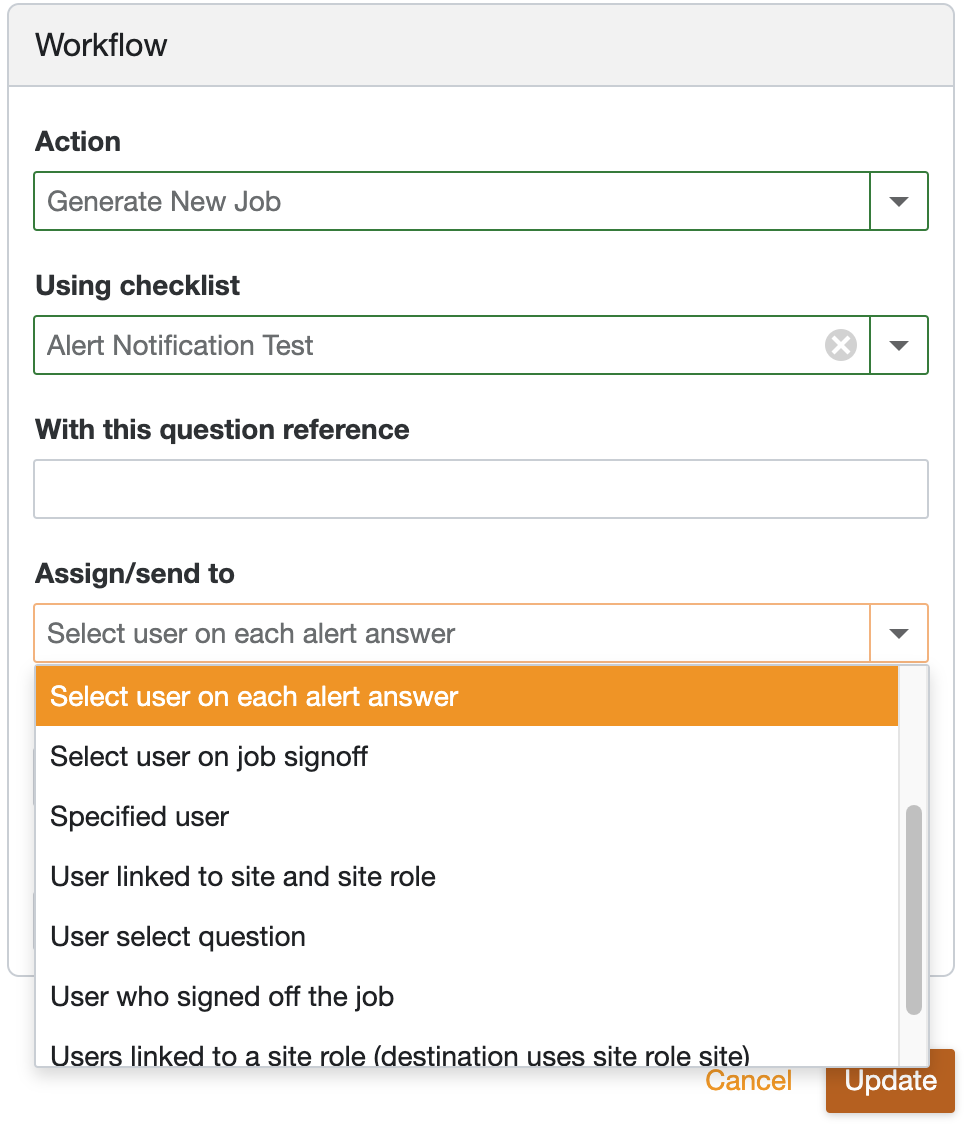
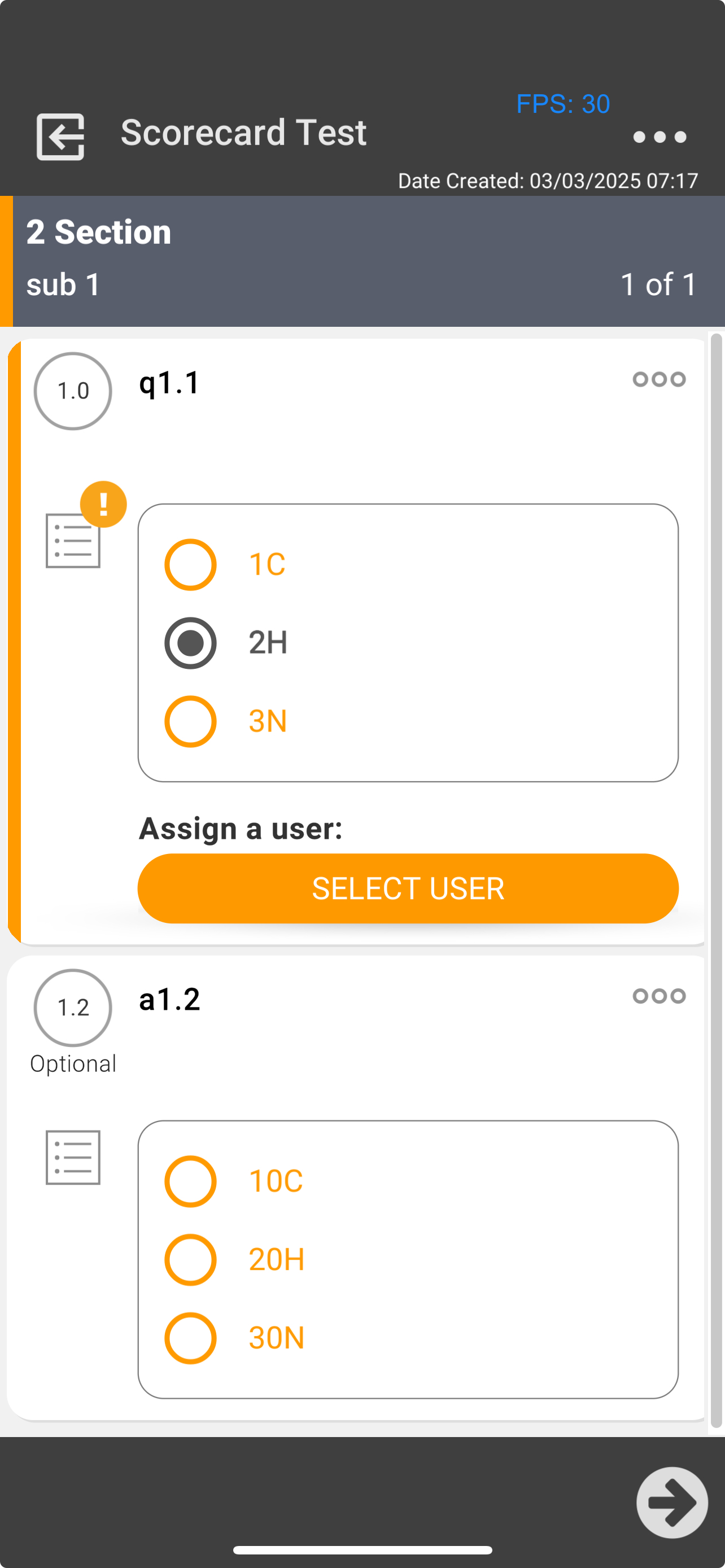
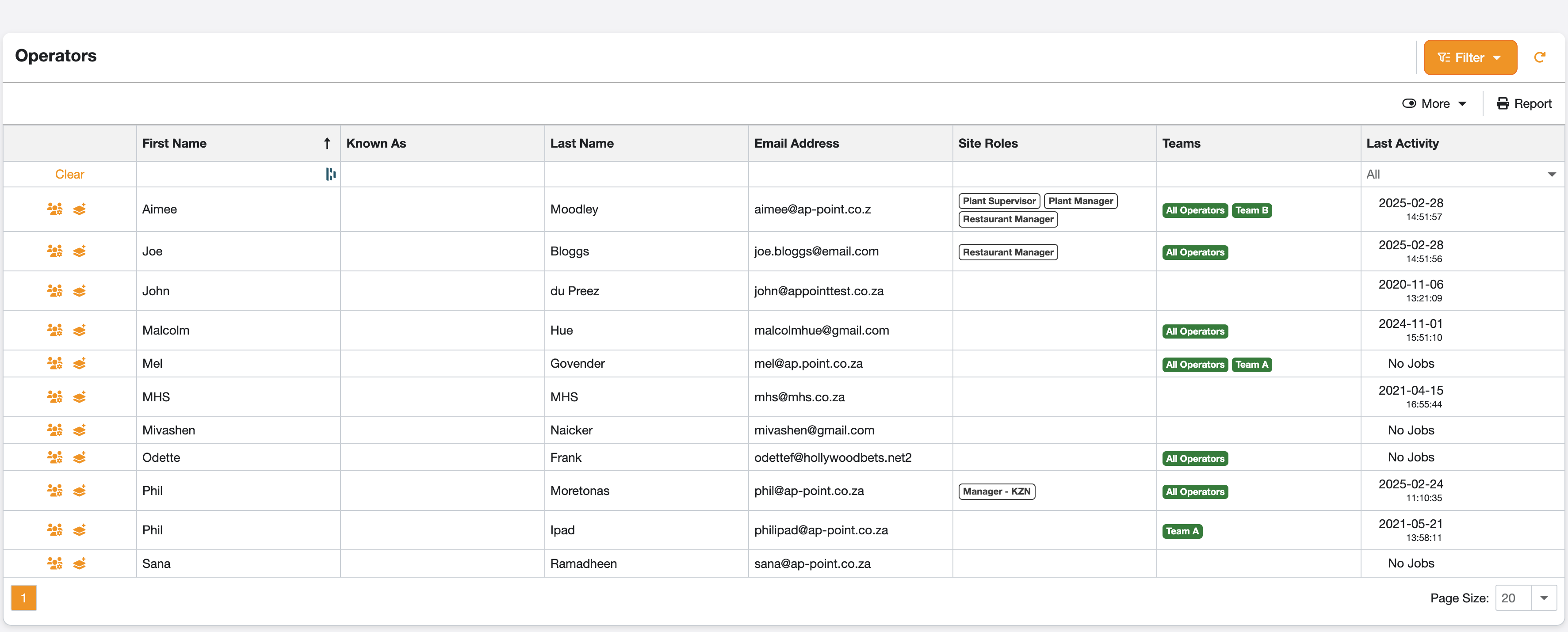
- Operator Grid Enhanced with OPUS UI in Blazor: Faster Performance and Expanded Features
- New roles "View Sites" and "View Operators" have been introduced to restrict users from accessing sites and operators. This is particularly useful for store managers who require limited access.
- Limited Access to:
- Overview
- Reports
- Alerts
- Jobs-Checklists
- Activities
- Notifications
- Job Capture
- Limited Access to:
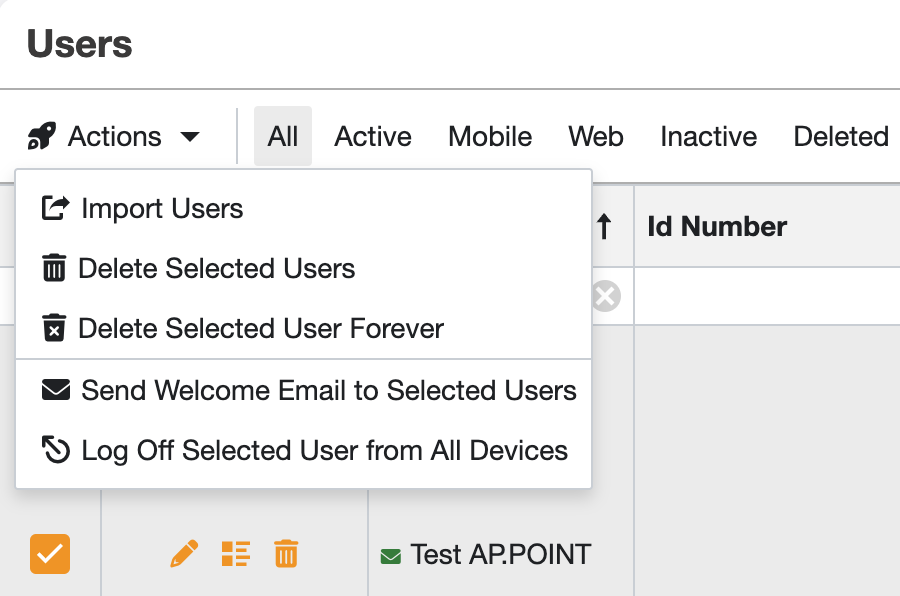
- Added new functionality to force user devices to be logged off by administrators thereby tightening up on old devices and forcing the devices to be reset on OPUS.
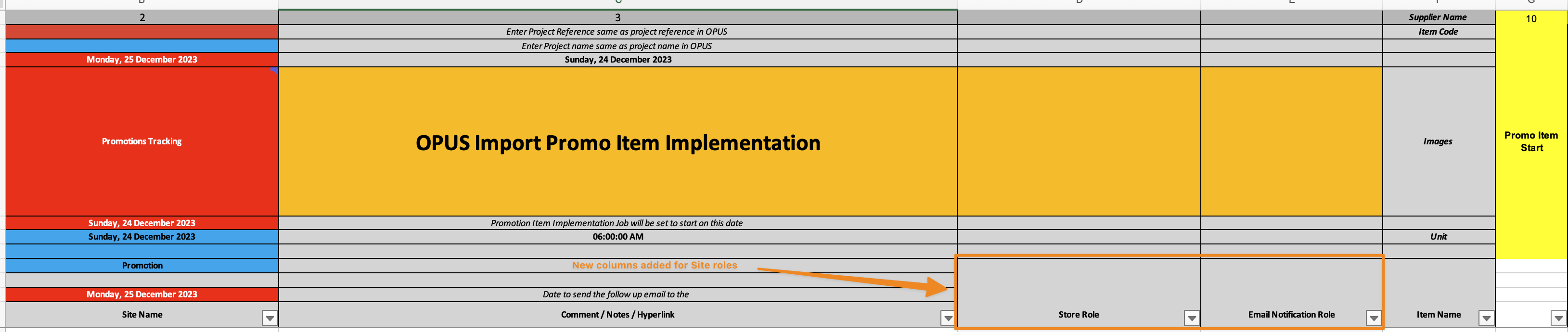
- Promotions Item Tracking and Item Implementation Import sheet has been modified to accommodate independent job and email notification roles. For instance, it now allows for different site roles for various store manager and area manager positions. This eliminates the restriction of a single site role for all sites, regardless of job or notification responsibilities.
Other Enhancements
- Items can now be set to be visible in the app or not. This feature allows users to enter items that are solely for system and report lookups and are not required in the app. By doing so, the payload downloaded to the app is reduced.
- The Job Status filter now has the capability to filter on multiple job statuses.
- A job with an alert but no answer images is disabled if the job doesn’t contain any answer images.
- We’ve added a new feature to help super user support personnel to impersonate users. This feature includes extreme audit logging and warnings.
- The item/stock transactional grid has been optimised.
- The Transactional reports have been optimised
- New Field "End Date" added to Item Importer to control the deletion of Items
- The Context users’ grid and details pages were changed from “Nickname” to “Known As” to maintain consistency with the Users edit screen.
- Change the datetime display format on all Blazor grid date columns to make them more readable, aligning with the Jobs grid.
- Known as the name added to the Operator grid and also as part of the filtering on user and operator pages.
- Converted the Preferences Page to a new OPUS UI in Blazor.
- Added a new column called “Site Role” to the users grid, which is separate from the “User Roles” column. Filtering by Site Role or User Role is now possible
- Additional countries have been added to the OPUS Site Importer
- Enhanced messaging in the audit log for updates on server jobs.
- Site Role Link updates are recorded in the audit log.
- Audit Log types have been added, including Projects, Employments, Company Details, Dashboard & Report Categories, Item Categories and Sub Categories, Teams, Tags, Items, and Site Role Links.
- The “Last Updated” column in the User grid now supports a date range.
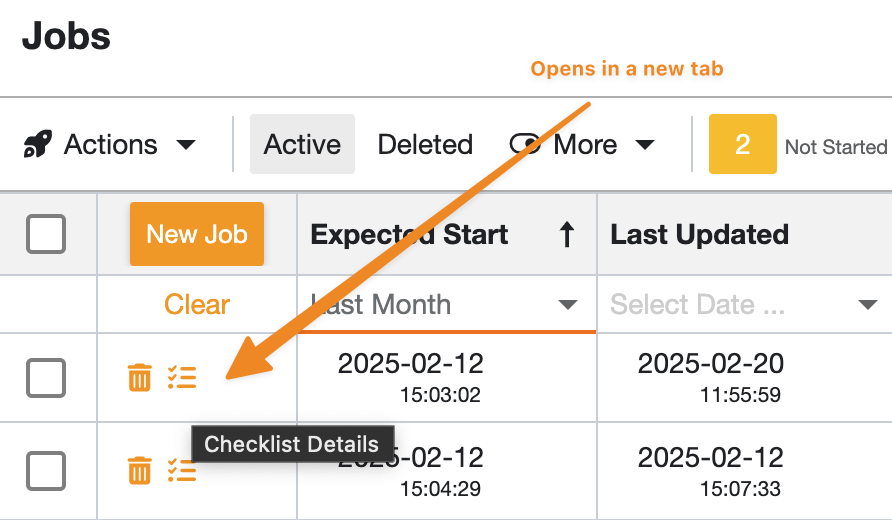
- Jobs- Checklist Grid now opens a new tab for the checklist when you select the checklist icon.
- Revised job audit logging: To ensure that the messaging is clear on the job audit log to differentiate between Job Sign off and Signed off Job received on server
- Change the sorting of the photos on all the jobs- checklist reports (currently newest to oldest) to oldest to newest
- Enhanced Mobile Sync model
- Enhanced Mobile performance on text inputs
- Enhanced messaging for users when compelled to log off their device by the administrator.
- Comments and photos are saved to the device to ensure that they are not lost when losing focus to another app.
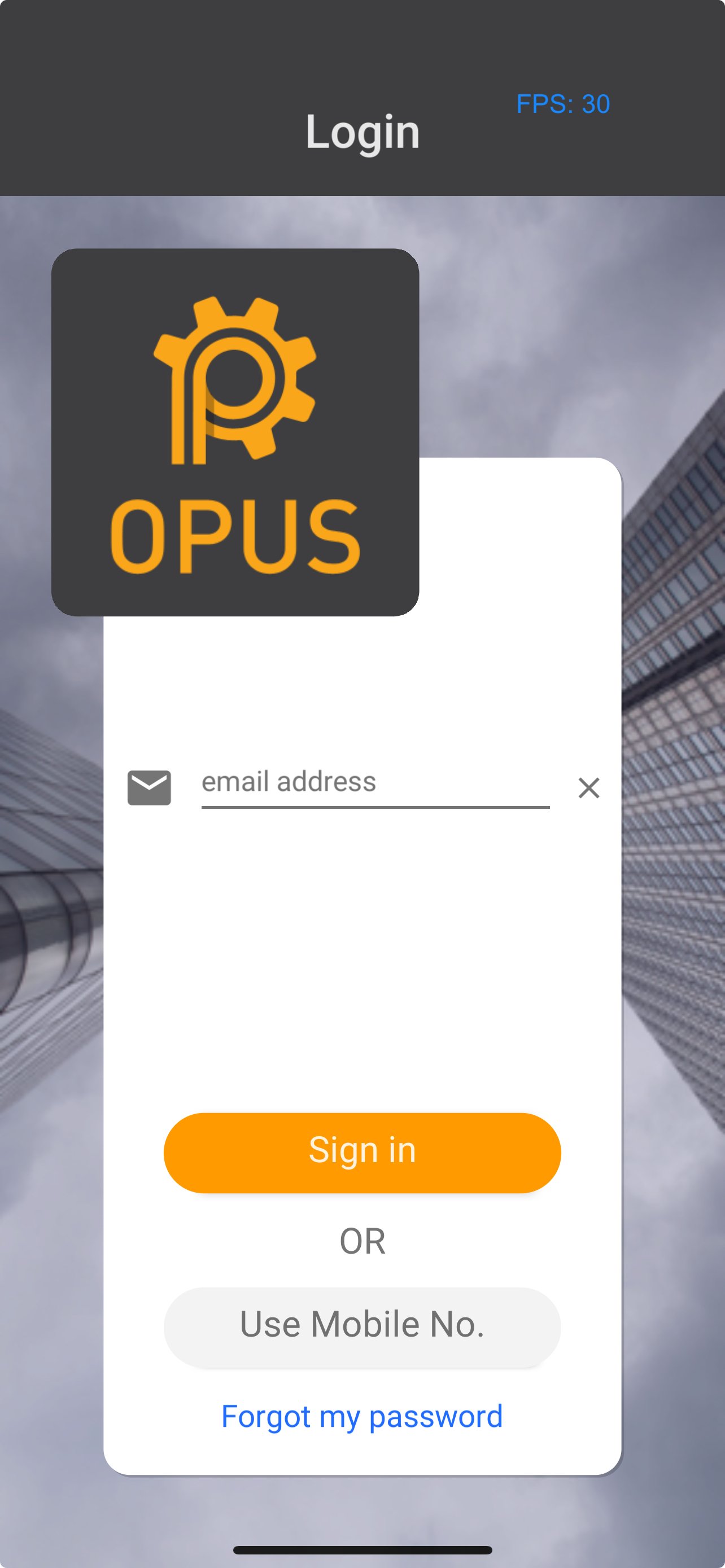
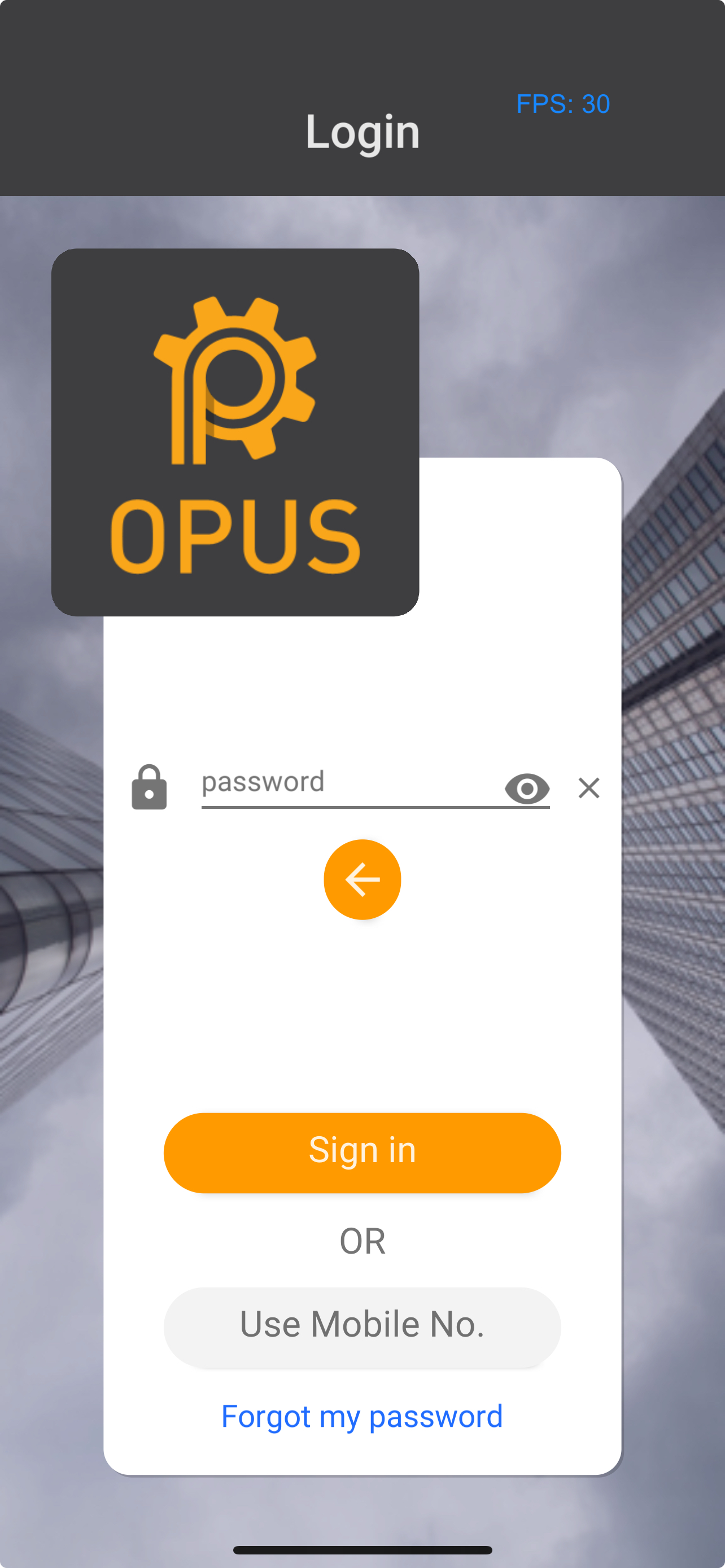
- Mobile App Login has been modified to separate the email and password capture into distinct screens. This change ensures that users with Identity Providers will not have the OPUS password capture visible.
- Blazor pages now have improved error reporting.
- We’ve enhanced the code to reduce the time it takes to retrieve job details on mobile devices.
- Improved the performance of the mobile app when rendering lists.
Bug Fixes and Performance Improvements
- Fixed: Alert Images corrected to show details correctly
- Fixed: Sending job back to operator from Blazor grid action menu creates a audit log with an incorrect description.
- Fixed: Jobs-Checklist Page - When clicking on "Clear" it is only clearing the Date filter and the other filters are not cleared.
- Fixed: Jobs - checklist grid to allow users to filter on Expected Start date or Last Updated independently or together as a combined filter.
- Fixed: In a workflow if source checklist is a document then don't allow the destination assignee to be "select user on each alert answer"
- Fixed: User and Site grids Site role linking still sets user active and device user active on user from site roles.
- Fixed: The checklist details, reports, and question report summaries aren’t displaying on the report.
- Fixed: When sending a notification from the notifications page, it doesn’t appear on the page.
- Fixed: Reports displaying JSON question in checklist when optional and blank.
- Fixed: Admin Access in Sub Companies, If you have Admin Access you can now access all system reports that are linked against a web dashboard Role.
- Fixed: Mobile notifications list on app not working correctly.
- Fixed: Cloning a Job from the Job-checklist grid does not clone the Answers (or Photos)
- Fixed: Messaging when pasting into the character question, if you’ve exceeded the character limit of 4000, inform the user.
- Fixed: If a job is created with an item, but the item is later deleted add a Message: “The item is unavailable to the app.”